I began my freelancing career in 2018 and I’ve definitely learned a lot since then, including what tools that I believe can really improve your content. So, I’m going to tell you about 3 of my most used content-creating tools that are amazing for all skill levels.
Canva
With thousands of templates and designs, you can create amazing graphics and social media posts with Canva! I use it all the time in my professional and personal life. Even if you feel like you don’t know what you’re doing, Canva offers tutorials and blogs for branding, design, and marketing.

An added bonus of Canva, is that it’s available on desktop and as an app for your phone, so you can start creating something the moment an idea comes to you.
Canva offers a variety of plans for you to choose from, including a basic free plan, a pro plan that’s perfect for freelancers or small businesses, and a pro team plan.
Headline Analyzer
There are many headline analyzers out there, but they’re all super helpful when you’re working on titles for your website, blog posts, or social media posts. Most analyzers can help provide insight into the readability of your headline.
To edit/analyze the title for this blog post, I used Headline Studio by CoSchedule.

Social Media Management Platform
Scheduling your social media posts in advance is a great habit to get in to. It also helps to take some of the stress away if you’re struggling to find time to post during the day.
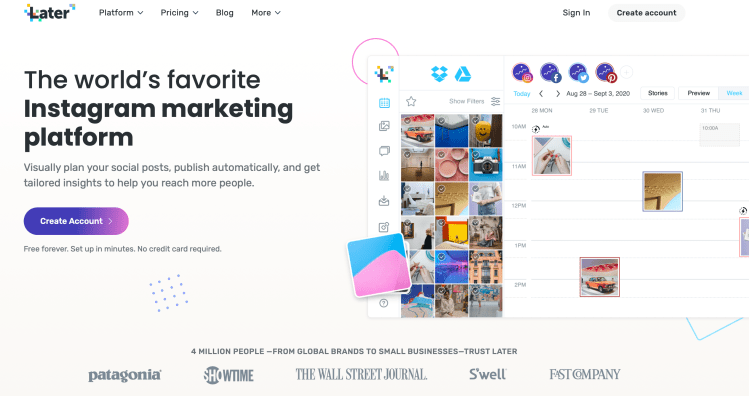
From a business perspective, you can benefit from using a social media management platform like, Later or Hootsuite, to plan out your social media feed so everything looks and feels cohesive.
Currently, I am using Later for my personal social media management.
Grammarly
It’s really easy to miss a simple mistake when you’re writing a blog or social media caption, especially if you’re proofreading your own work.
Whether you missed a letter in a word or used a period instead of a comma, Grammarly will catch it. I’ve had quite a few experiences where a post went live with a grammatical error and I bet you know that it’s not a great feeling.

Even if you think you don’t need it, Grammarly is a great failsafe to have. Nobody’s perfect and we all make mistakes.
These tools are super affordable, too, and are great for content creators and even small business owners! Although I’ve been using these online tools for several years now, I feel like I’m always learning more.
Let me know if you’re already using any of these tools or if you’ve got any other suggestions!
 Nicky LeBlanc
Leave a comment